Light Dropper colored icon
Loading interactive 3D reference…
45% complete

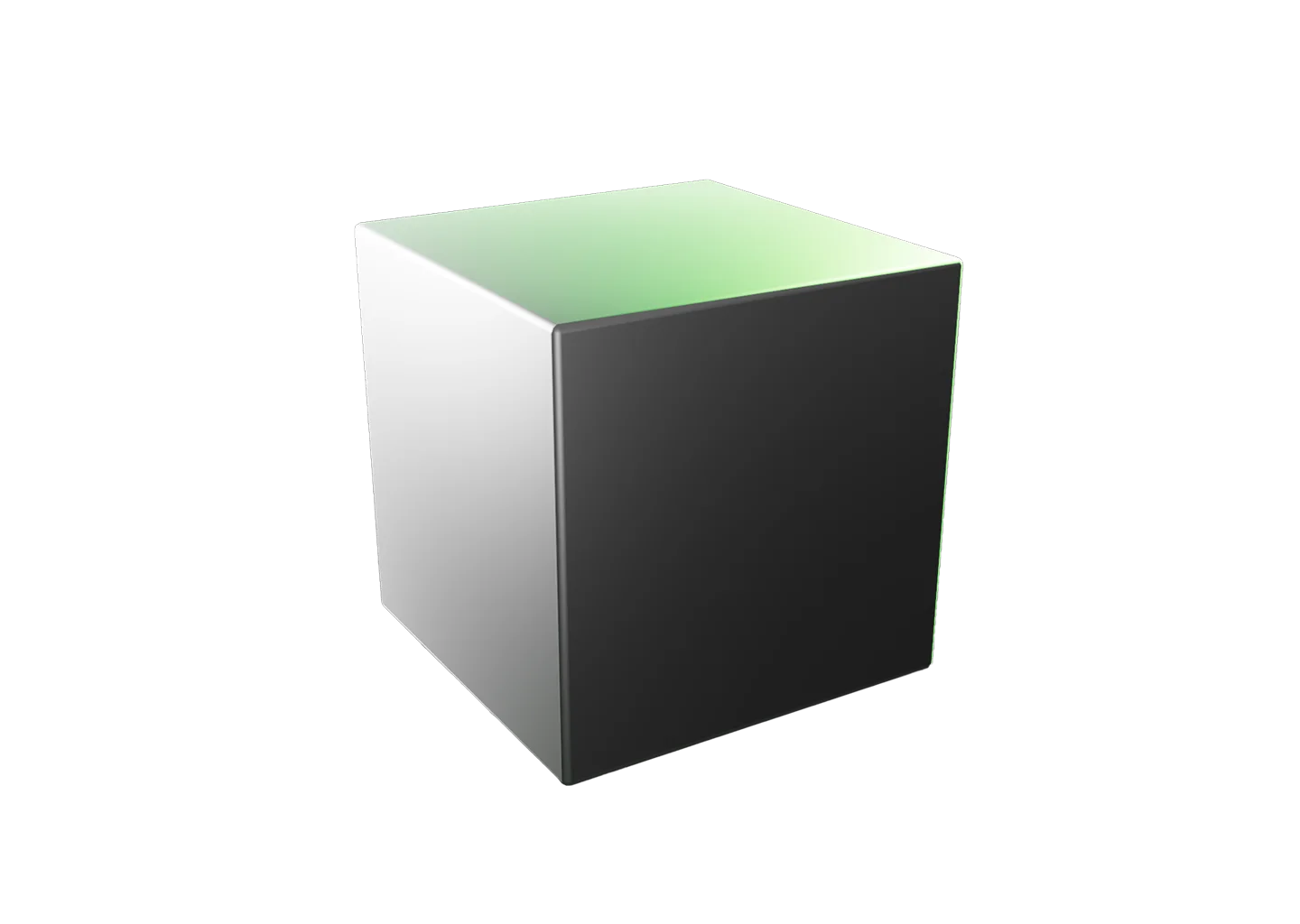
Cube Shading Reference

The cube is one of the first shape primitives artists study because it teaches perspective, planes, and light across planar surfaces. Every face responds differently as the light changes, making it easier to understand value relationships and form.

Rotate the cube or camera to study different viewpoints, and right-click the cube and checkerboard floor to change their color or material.

The scene loads with a green light to set the mood, but switch it to white for a pure-value study, and set the ambient light (the dotted outline one) to 0 brightness for dramatic shadows.

Learning to simplify complex subjects into planes is a skill you’ll carry into everything from portraits to architecture.

Once you know how to shade a cube, continue with the Sphere Shading Reference to explore light on curved surfaces.
Toggle Info: I
Toggle info: i
• Double click to create a light
• Click-and-drag to move a light
• Right click objects for options
Precision Controls
Toggle Light Labels: L
Toggle Camera Type: C
Randomize Scene: R
Randomize Lights: Shift + R
Undo: Cmd + Z
Redo: Cmd + Shift + Z
Animated Model Controls
Play/Pause: Spacebar
Reset scene
Icon of person raising their hand
Requests and feedback
Cube primitive shape with one side falling into darker shadow than the others.

Cube Shading Reference

The cube is one of the first shape primitives artists study because it teaches perspective, planes, and light across planar surfaces. Every face responds differently as the light changes, making it easier to understand value relationships and form.

Rotate the cube or camera to study different viewpoints, and right-click the cube and checkerboard floor to change their color or material.

The scene loads with a green light to set the mood, but switch it to white for a pure-value study, and set the ambient light (the dotted outline one) to 0 brightness for dramatic shadows.

Learning to simplify complex subjects into planes is a skill you’ll carry into everything from portraits to architecture.

Once you know how to shade a cube, continue with the Sphere Shading Reference to explore light on curved surfaces.
A hand icon with a strikethrough
This experience requires a larger window.